|
You can use themes listed below to modify WinRAR icons. Just download a theme
archive and open it in WinRAR to install. Installed themes can be selected
in the "Options/Themes" WinRAR menu. If you wish to create a new theme,
please read the following document.
WinRAR Material 2.0 theme © by Anton Pivovarov, www.aab.com.ua

Download:
version with 48x48 toolbar icons
WinRAR Professional theme © by UpdateStar,
based on Axialis art.
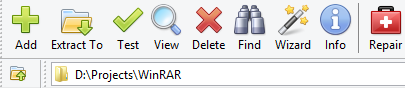
Download:
version with 32x32 toolbar icons
WinRAR MilanSoft Buttons Square Black theme © by MilanSoft
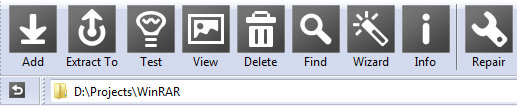
Download:
version with 32x32 toolbar icons
version with 48x48 toolbar icons
WinRAR MilanSoft Classic theme © by MilanSoft
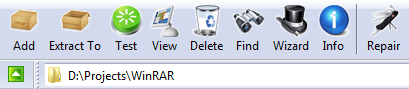
Download:
version with 32x32 toolbar icons
WinRAR MilanSoft On The Road theme © by MilanSoft
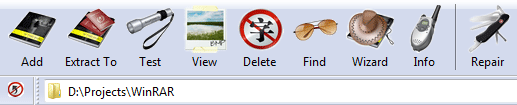
Download:
version with 32x32 toolbar icons
version with 48x48 toolbar icons
WinRAR MaRado theme version 1.00 © by Marko Radojevic 2005, original icons by Miscellaneous

Download:
version with 32x32 toolbar icons
version with 48x48 toolbar icons
version with 64x64 toolbar icons
WinRAR Orange-Gold theme version 1.0 © by Hopachi
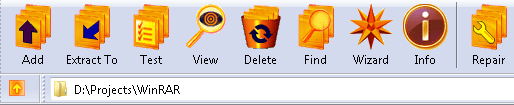
Download:
version with 48x48 toolbar icons
WinRAR XP theme version 1.02 © by XPero

Download:
version with 32x32 toolbar icons
version with 48x48 toolbar icons
version with 64x64 toolbar icons
WinRAR OS X theme version 1.00 © by CarlFeynman, cfn.has.it

Download:
version with 32x32 toolbar icons
version with 48x48 toolbar icons
version with 64x64 toolbar icons
WinRAR Lord Darksys theme version 1.01 © by Albrecht Simon, www.lord-darksys.de

Download:
version with 16x16 toolbar icons
version with 32x32 toolbar icons
version with 48x48 toolbar icons
WinRAR Crystal theme version 1.01 by

Download:
version with 64x64 toolbar icons
WinRAR Vista Mx by RyoNaKi
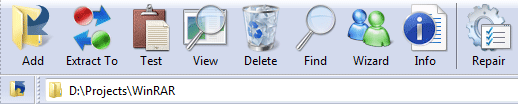
Download:
version with 32x32 toolbar icons
version with 48x48 toolbar icons
WinRAR Live by RyoNaKi
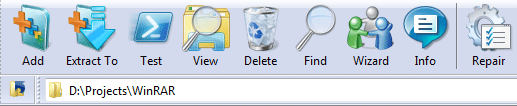
Download:
version with 32x32 toolbar icons
version with 48x48 toolbar icons
WinRAR Vista theme version 2.0 by Kudesnick, kudesnick.blogspot.com

Download:
version with 32x32 toolbar icons
version with 48x48 toolbar icons
version with 64x64 toolbar icons
WinRAR Vista theme version 1.0 © by pkuwyc

Download:
version with 32x32 toolbar icons
version with 48x48 toolbar icons
version with 64x64 toolbar icons
version with 80x80 toolbar icons
WinRAR Tulliana theme version 1.0 by Lahilote Gorontalo, based on M.Umut Pulat art

Download:
version with 48x48 toolbar icons
WinRAR Ka'ita-Hitam theme version 1.0 by Lahilote Gorontalo, based on Rokey art

Download:
version with 32x32 toolbar icons
version with 48x48 toolbar icons
WinRAR Senyum's theme version 1.0 by Lahilote Gorontalo, based on Rokey art

Download:
version with 32x32 toolbar icons
version with 48x48 toolbar icons
WinRAR Stalk-Lab version 1.26 theme by STALK.ER (A. Kamaev)

Download:
version with 32x32 toolbar icons
version with 39x39 toolbar icons
WinRAR 2.8/2.9 theme by Arbelon and Artem Drobanov

Download:
version with 48x36 toolbar icons
Win7Theme v.3 by Roger Truttmann

Download:
version with 48x48 toolbar icons
Roger's WinRAR theme version 2.1 by Roger Truttmann
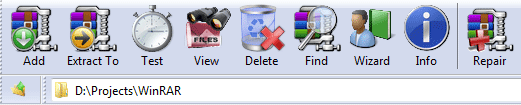
Download:
version with 32x32 toolbar icons
version with 48x48 toolbar icons
Windows 3.1 WinRAR theme v1.2 by roy_mustang
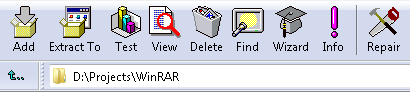
Download:
version with 32x32 toolbar icons
WinRAR95 theme by Vovan29
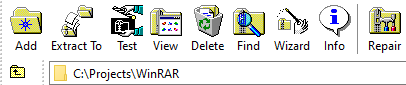
Download:
version with 32x32 toolbar icons
WinRAR India theme © 2010 by Outshine Solutions, www.outshinesolutions.com
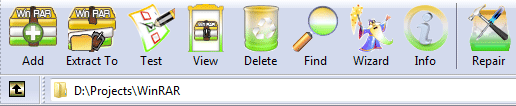
Download:
version with 48x48 toolbar icons
WinRAR X-vision theme © 2010 by X-vision, Slava Mikheev, mikheev.biz
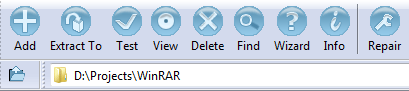
Download:
version with 32x32 toolbar icons
Themes above are created by WinRAR users and placed here from their
permission. Our company does not own the copyright of theme icons.
If you are the copyright owner of any icons used in the themes above and wish
to remove them from this page, please contact us.
|